 EN
EN FR
FRHello !
Telegram is popular among privacy-conscious people who want a secure messaging app. It has over 500 million active users worldwide. Telegram is widely recognized as a secure channel for online communications.
We can make use of Telegram bots to send and receive messages or commands to/from Home Assistant.
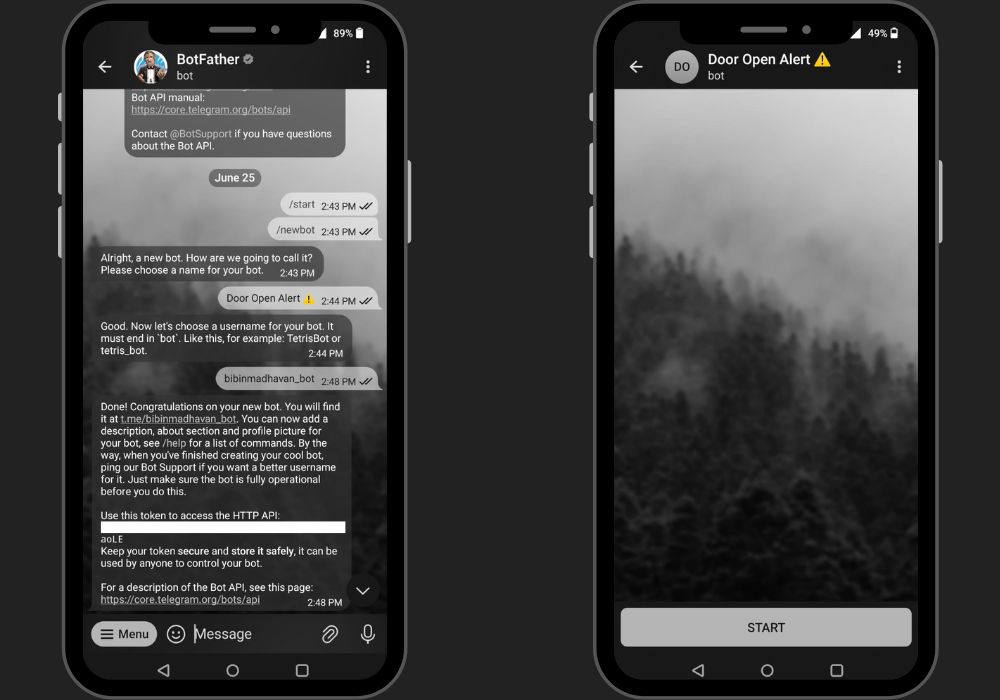
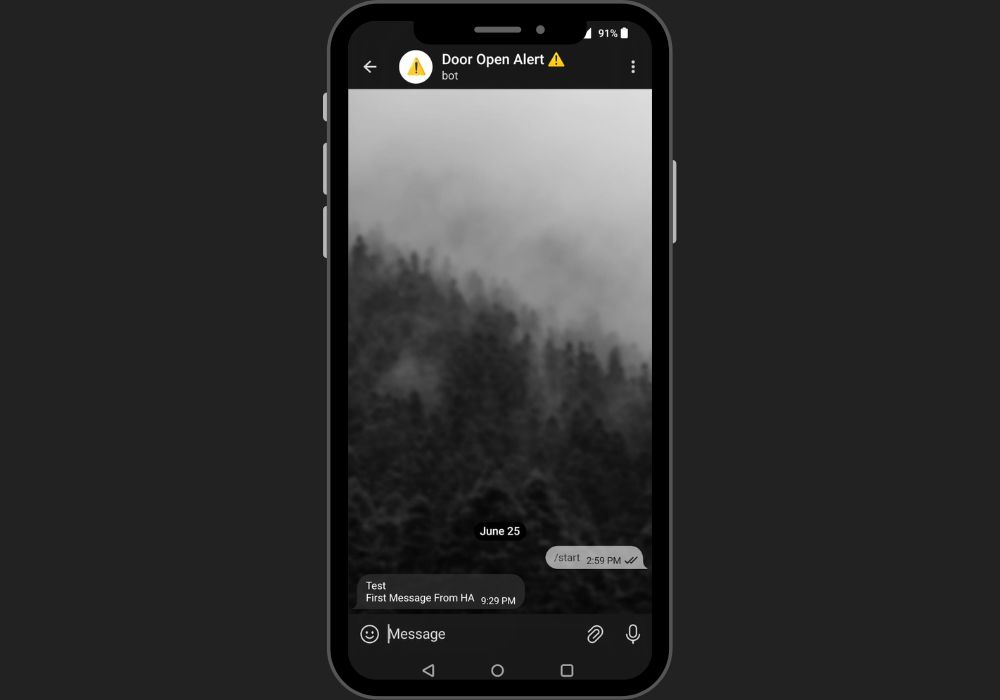
- Create a bot in Telegram for Home Assistant notifications. For that, we use the official telegram bot “@BotFather”. Search for “@BotFather” in Telegram and use “/newbot” command from the menu selection to create your bot. The bot will give you step-by-step guidance - to select a name for your bot first and a username next.
Here, I use :
⇒ Bot name : "Door Open Alert ⚠️"
⇒ Bot username : "bibinmadhavan_bot"
(Bot name and username are two different things. Bot name will be the chat name appearing on your telegram. Unlike the bot name, your bot username should always end with the word “bot”)
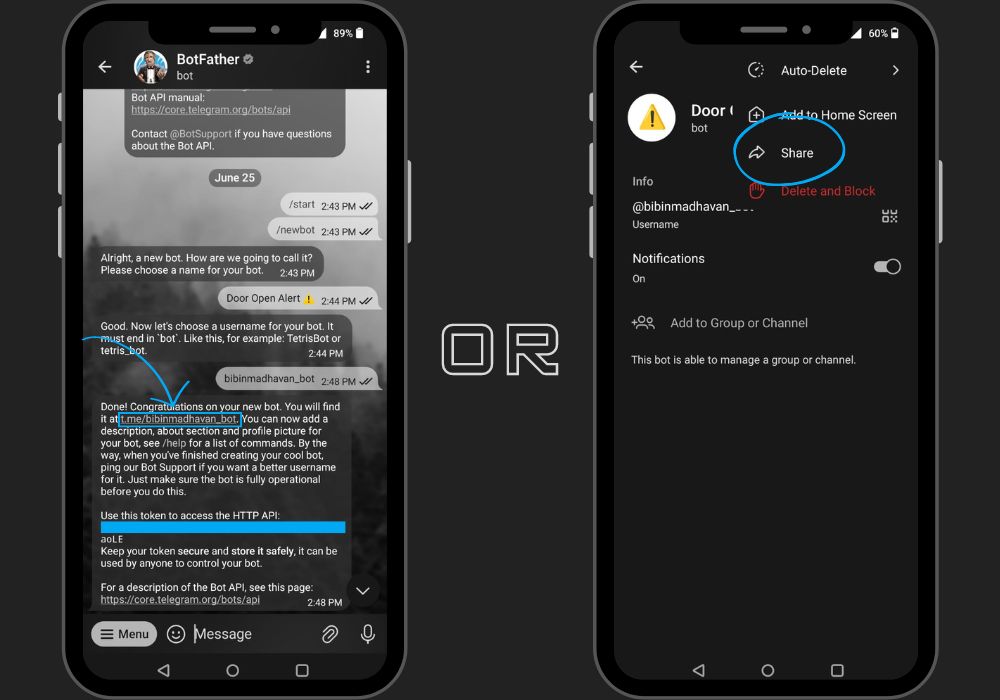
- Once your bot has been created BoatFather will give an API token and link for your newly created chatbot. Click on the chatbot link and activate your bot by pressing start.
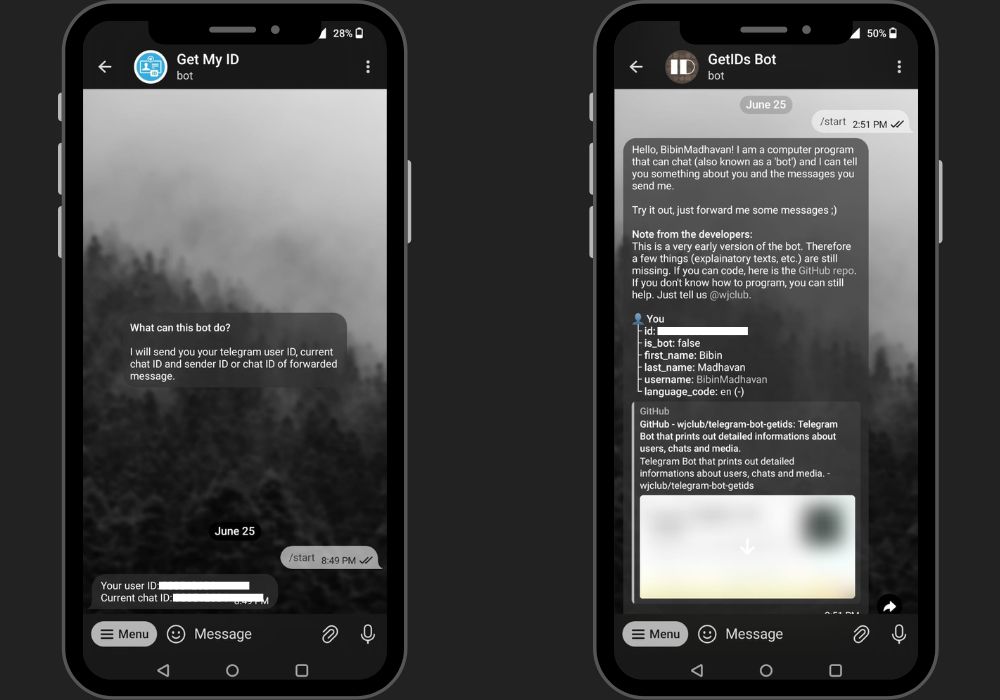
- Next, we need to collect the Chat ID from the telegram. Chat ID is for the telegram bot to send direct messages. To get your chat ID, send a direct message to the “Get My ID” bot (search for it as you did for BotFather) and the bot will respond immediately with your user ID and chat ID (Both values are the same so you can use any of them). Alternatively, you can use “GetIDs Bot”, which will give all your bot details not just the ID.
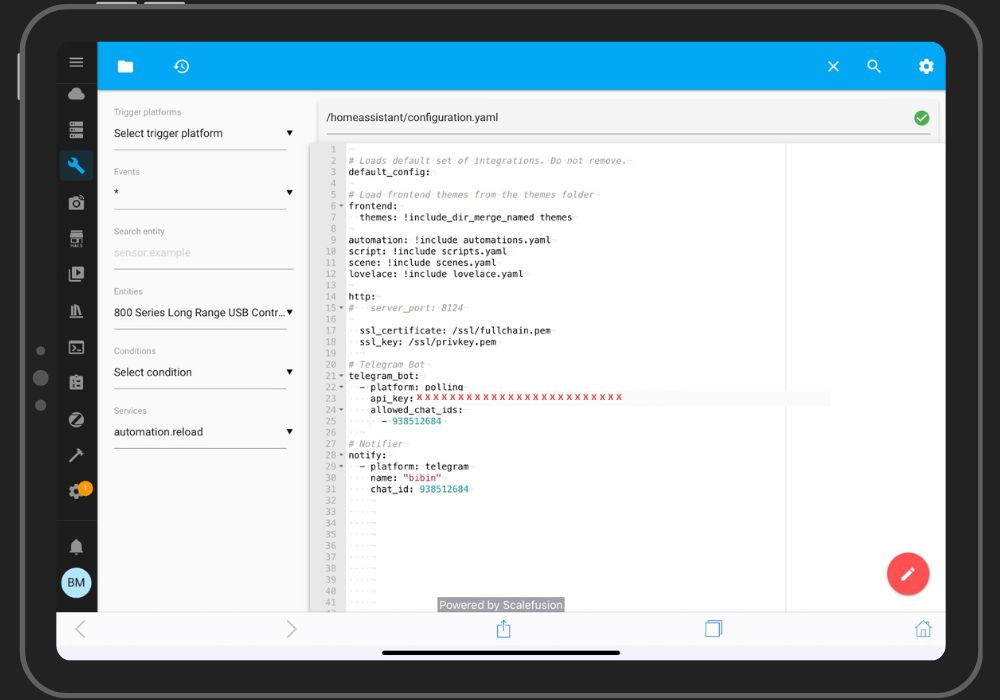
- Go to the home-assistant "configuration.yaml" file and add the following lines of code.
                  telegram_bot:
                    - platform: polling
                      api_key: "xxxxxxxxxxxxxxxxxx"    # APIfrom “BotFather”
                      allowed_chat_ids:
                        - 1123456                      # Chat ID from “Get My ID”
(Note: API key from “BotFather” and Chat ID from “Get My ID”)
This will enable Telegram's bot service to be integrated into HA.
- Next, we need to create a notification service for the telegram, by adding the following piece of code to the "configuration.yaml" file.
                notify:
                  - platform: telegram
                    name: "bibin"           # Use any name you want
                    chat_id: 123456
- Restart Home Assistant
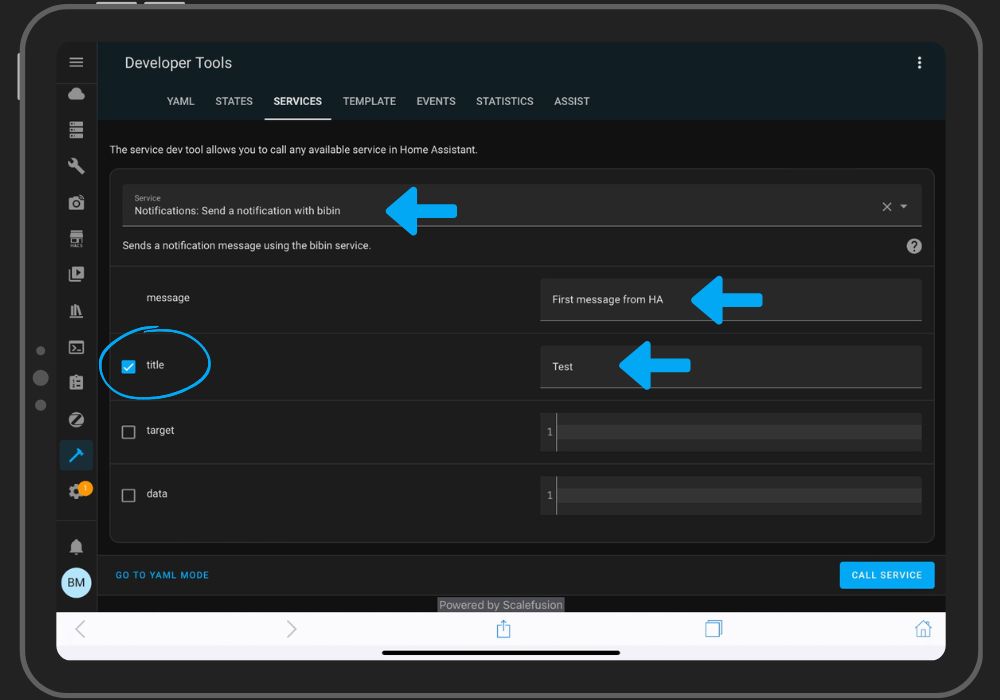
If you have done everything correctly you can see a new notify service “notify.any_name” under the Developer Tools → Services.
We have to verify now if the notify service is working or not.
- Go to Developer Tools → Services and select “notify.bibin” (use the service name you chose to create the notify service).
- Type in your message and hit "CALL SERVICE".
For multiple users :
If you want to include more persons from the family, just add their Telegram chat IDs to the "telegram_bot:" and "notify:" sections of the configuration.yaml file.
- Share the link for the previously created bot (obtained from BotFather or directly from the chat itself) with the family member you wish to add. Ask them to use the link to start the chatbot on their device.
- Collect the chat IDs for the individual users from the “Get My ID” bot on their devices as we did before.
- Finally, add the user IDs to the configuration.yaml file.
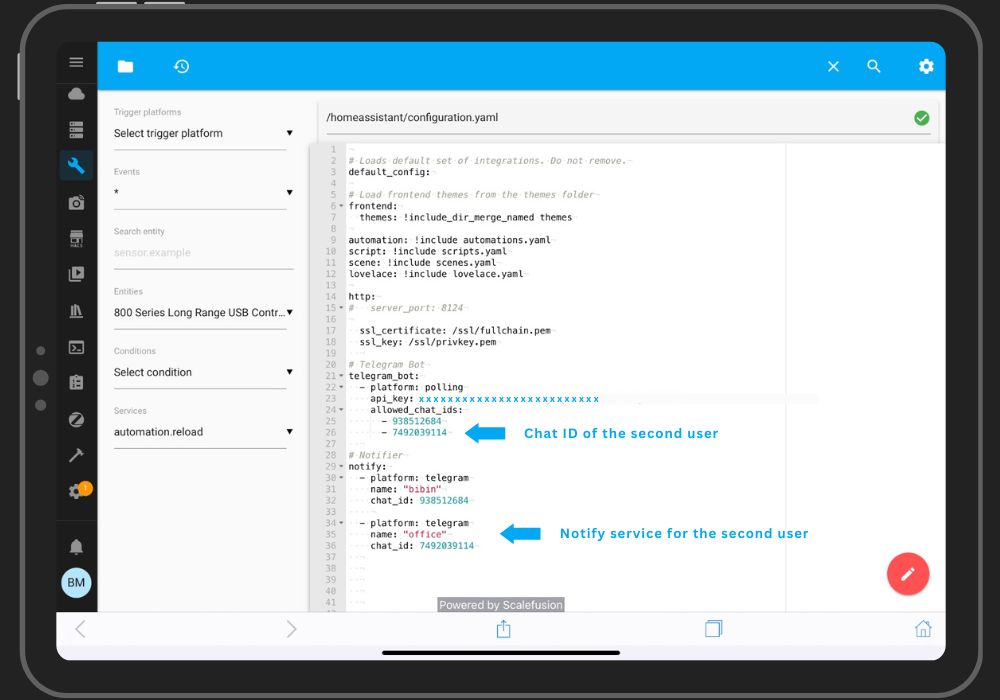
You can verify the service created for the second person same as before, under Developer Tools → Services.
Group notification :
What we have done here now is to give each one a new notify service, which is not convenient if you want to create an automation to notify all at the same time since we need to call multiple notify services. In such scenarios, we can make use of "Notify Groups". We can combine multiple notification services into a single service using "Notify Groups".
- Add the following code to create a notification group to the "configuration.yaml" file under "notify:" header.
- Reload all HA yaml configuration from the service tab. (Restarting HA is recommended)
                notify:
                  - name: "Family Group"
                  platform: group
                  services:
                    - service: notify.bibin      # 1st notify service
                    - service: notify.office     # 2nd notify service
That's it. You can now use the service "notify.family_group" for sending telegram notifications to all users at the same time.
Thank you note !
I want to personally thank you for reading my recent article.” Your time and attention are greatly appreciated, and it means a lot to me that you took the time to engage with my content. Your support and feedback are invaluable, and I am grateful for the opportunity to share my thoughts and ideas with you. Whether you left a comment, shared the article, or read it, your participation helps fuel my passion for writing and motivates me to keep creating content that resonates with readers like you.
Please feel free to reach out if you have any thoughts, questions, or feedback about the article. I love hearing from my readers and learning about your perspectives.
Once again, thank you for your support. I look forward to sharing more with you soon.