 EN
EN FR
FRTuya provides cloud-based development and management to program, manage and monetize smart home and IoT devices, controlling multiple brands and types of smart devices via a mobile app.
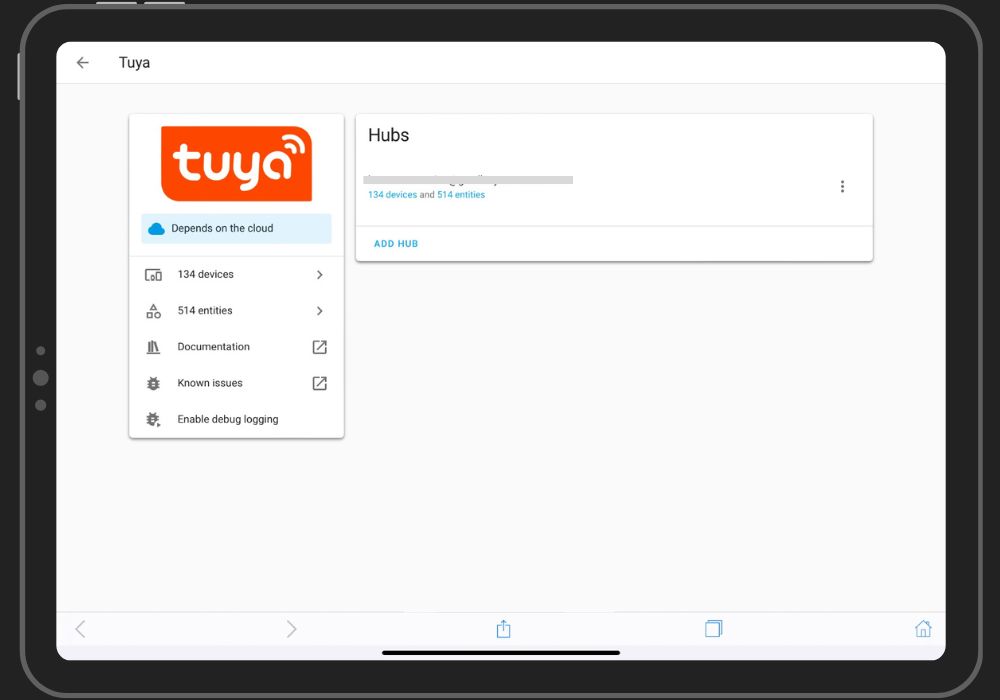
Tuya integration for home assistant just got a lot easier after the new Home-Assistant update (core 2024.2.1).
Let's see how we can link the Tuya Cloud with Home-Assistant in the 2014.2.1 update.
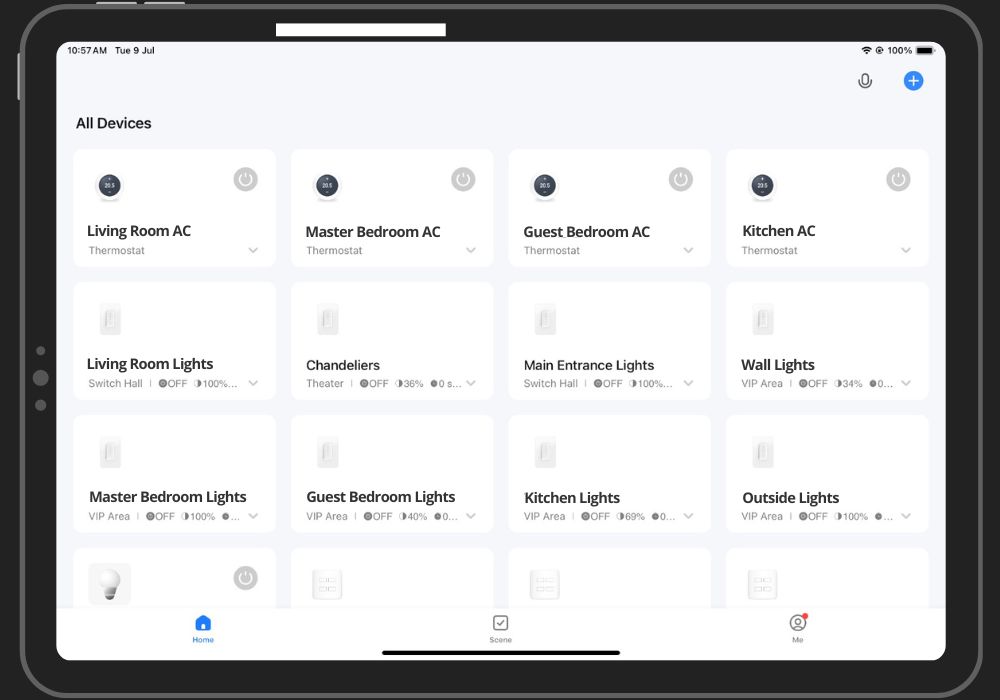
- Start by adding all your devices to the SmartLife mobile application.
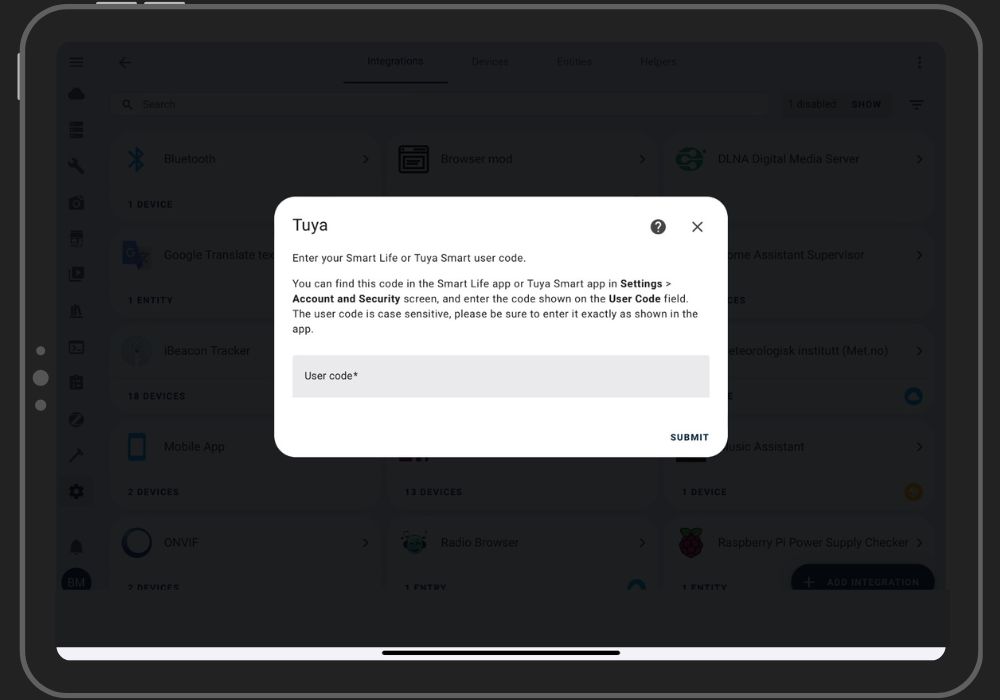
- Once you've added all your devices to the Tuya application, it's very easy to connect them to the home assistant. When you install the integration, you'll be asked to enter the user code for your Tuya account (which is case-sensitive).
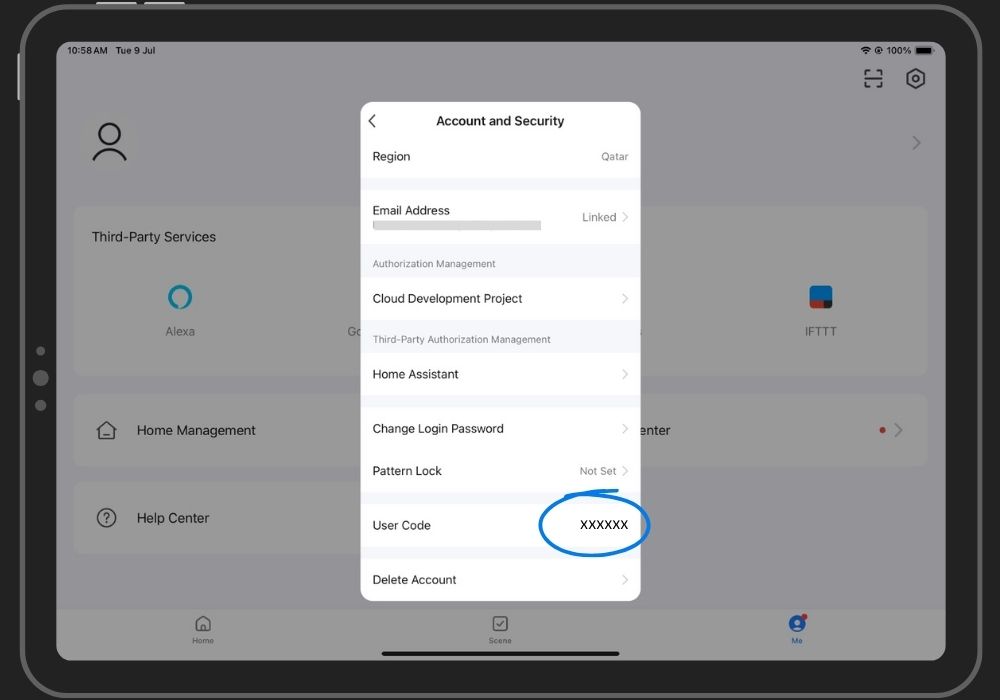
- You can obtain the user code from the Tuya/Smartlife application available under "Settings->Account & Security".
- Later, you'll be asked to scan a QR code displayed on the home assistant using the Tuya app and you'll be all set.
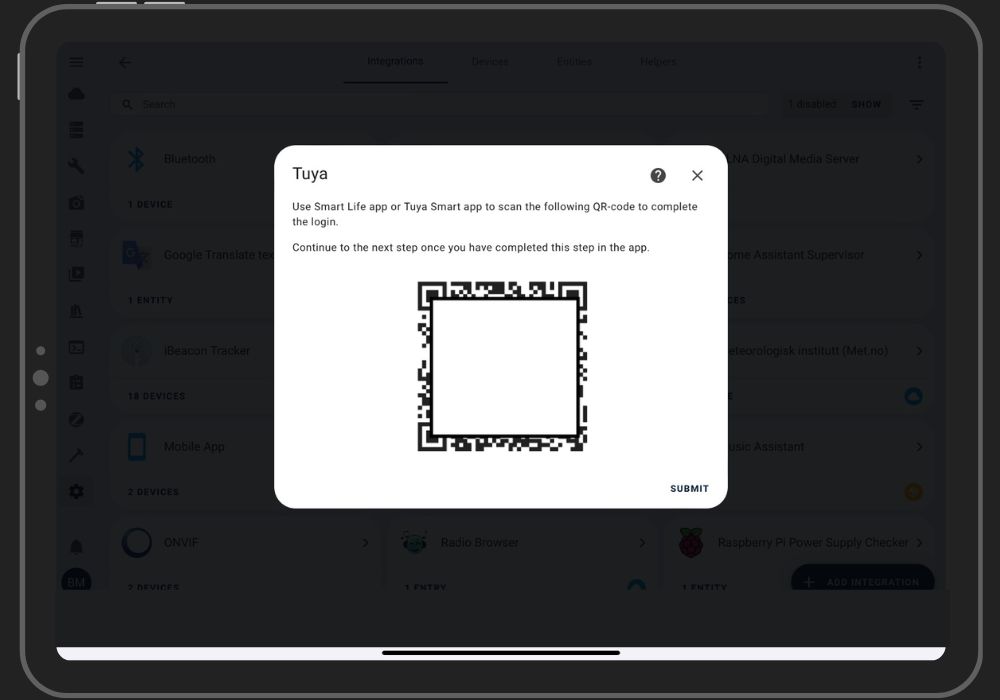
If you are using an older version of Tuya integration, it will break after the HA update. But you don't need to worry, if you go to the integration page you will get a repair notification banner for Tuya.
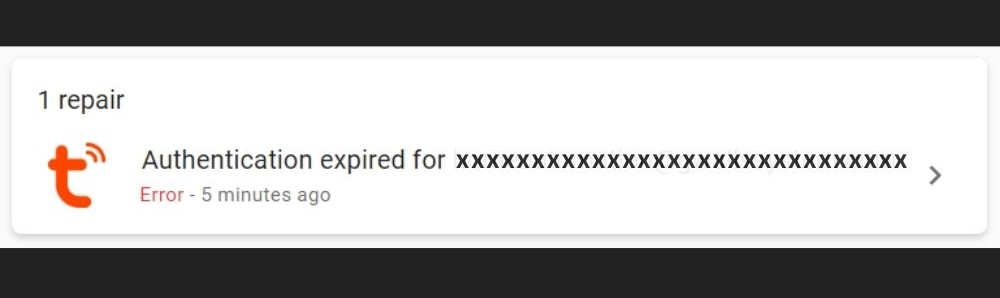
- Click on it, enter the user code, and then scan the QR code. Wait a few seconds for the integration to reload and you are good to go.
Thank you note !
I want to personally thank you for reading my article. Your time and attention are greatly appreciated, and it means a lot to me that you took the time to engage with my content.
Your support and feedback are invaluable, and I am grateful for the opportunity to share my thoughts and ideas with you. Whether you left a comment, shared the article, or read it, your participation helps fuel my passion for writing and motivates me to keep creating content that resonates with readers like you.
Please feel free to reach out if you have any thoughts, questions, or feedback about the article. I love hearing from my readers and learning about your perspectives.
Once again, thank you for your support. I look forward to sharing more with you soon.